START
What a result shows
Your image and its SVG lie on one canvas, sharp at any zoom, with four tabs beside them: Overview, Colors, Shapes and Download.
How do I compare the SVG with my image?
Split lays the two over each other: drag the handle in the middle to sweep from your image to the SVG. Side by side puts them next to each other; Original and SVG show one alone. Hold O to see your image wherever you are.
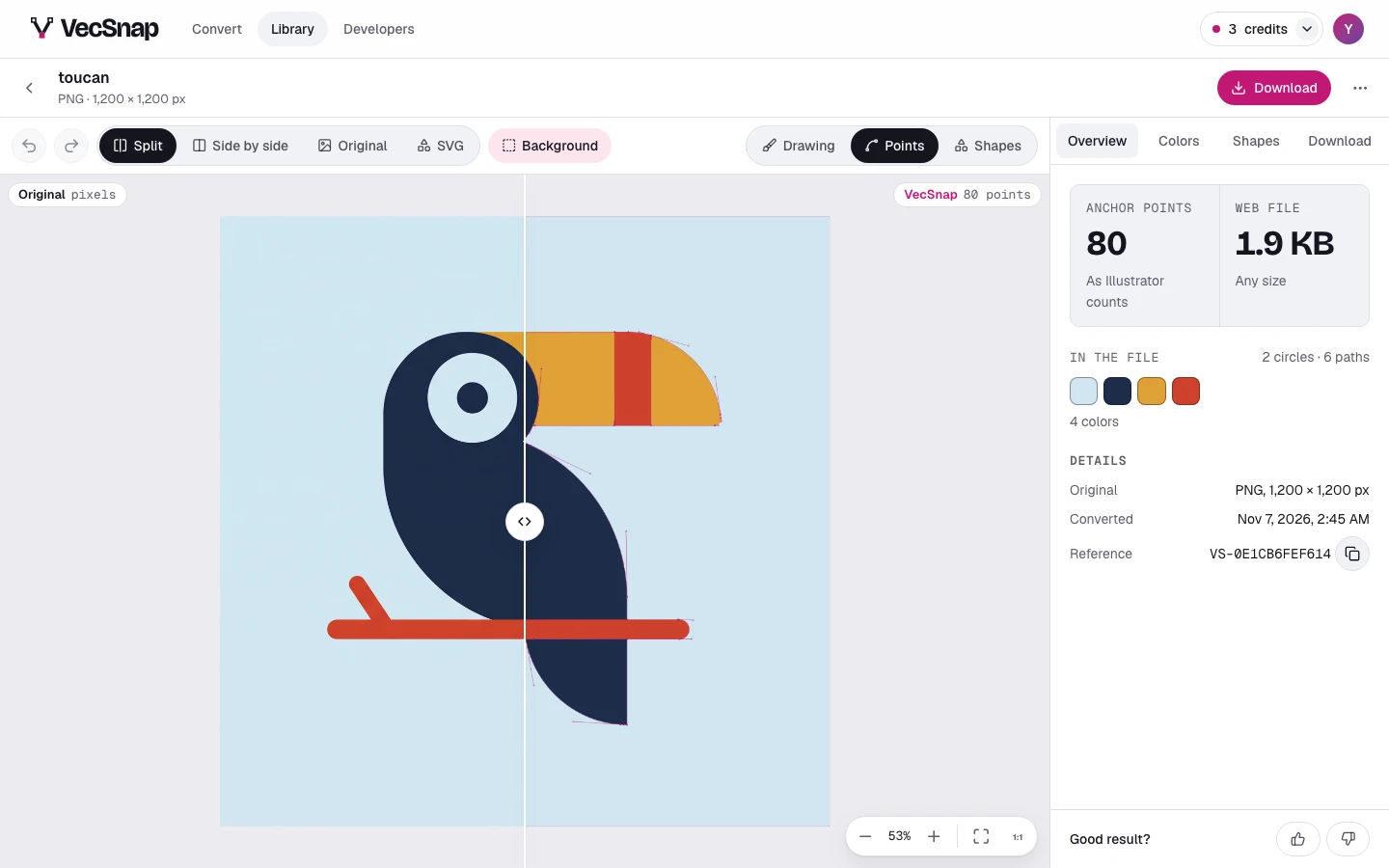
What do Drawing, Points and Shapes show?
Drawing is the file as it will look. Points lays its anchor points over it, counted as Illustrator and Figma count them: the fewer, the easier the file is to edit. Shapes gives every shape its own color, touching shapes always apart, so you see where one ends and the next begins.
Background keeps the drawing's ground, or leaves it out to show what is see-through. What the canvas shows is the file you download.
How far can I zoom?
Up to 800 %, and the SVG is drawn again at every step: you inspect the curve itself, never a blurry picture of it. Use the buttons in the canvas's corner, double-click where you want to look closer, or pinch on a trackpad or a phone.
What is in each tab?
| Tab | What it holds |
|---|---|
| Overview | The file's anchor points and size, its colors, and its details: the original's format and size, when it was converted, and its reference for support. |
| Colors | Every color of the drawing: looks such as Night or Two-tone, one color changed everywhere, fewer colors. |
| Shapes | Every shape of the drawing: select one to move, hide, recolor or reshape it, and the fixes VecSnap suggests. |
| Download | The file for what you will make with it, and the one credit that unlocks every file. |