EDIT SHAPES
Reshape a shape
Shape on a pressed shape's card changes its outline: in one press, or along a slider you can watch.
Once the image is unlockedWhat does the Shape menu do?
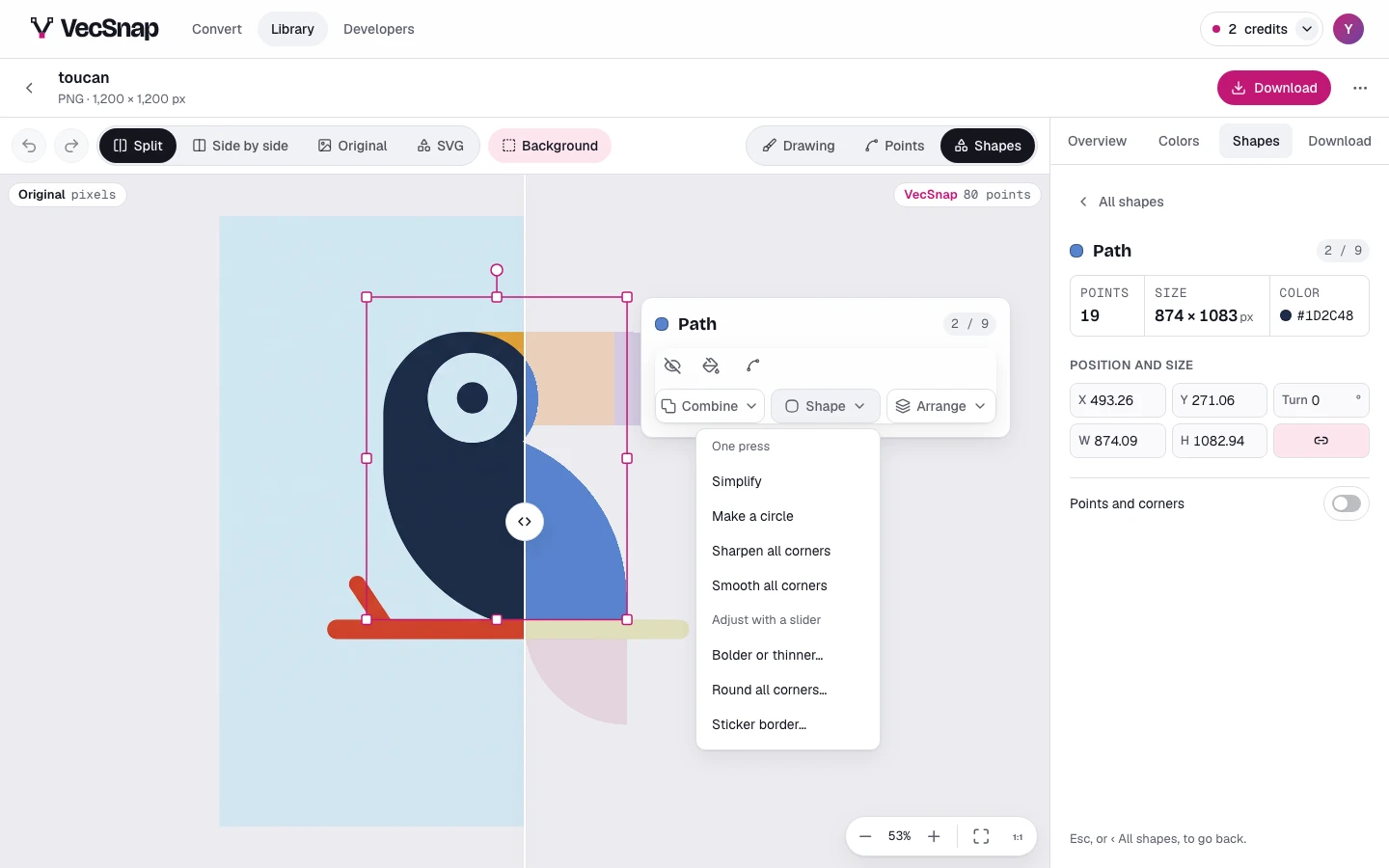
| Tool | What it does |
|---|---|
| Simplify | Fewer anchor points on the same outline, so the shape is lighter and easier to edit |
| Make a circle | Turns a shape that is nearly a circle into a true circle |
| Sharpen all corners | Makes every corner of the shape a sharp point |
| Smooth all corners | Makes every corner of the shape a smooth curve |
| Line to shape | Turns a line into a filled shape, for a line only |
| Bolder or thinner… | Makes the shape bolder or thinner along a slider |
| Round all corners… | Rounds every corner, by the radius you slide to |
| Sticker border… | A border of the width you choose, behind the drawing (Sticker border) |
Pointed at, a tool shows the drawing with it before you press; a slider shows it as it rests. A menu only offers what fits the shape: a circle has no corners to round.
Once the image is unlocked.These tools redraw the outline, so they are offered once the image is unlocked; before that, the menu wears a lock.