Image to STL converter
Image to STL, in clean parts.
Drop in a logo, a sign or a badge as a PNG or a JPG. VecSnap redraws it as clean shapes and writes a 3MF your slicer reads, one object per color, or an STL in one body.
Drop an image here
PNG, JPG, WebP, AVIF, GIF, BMP, TIFF, SVG or PDF · Up to 10 MB
- Converting and previewing are free
- One credit keeps the file, every format included
 Printed from its 3MF
- Slot 1
- Slot 2
- Slot 3
Four kinds
How do I turn an image into an STL?
- VecSnapFlat parts, drawn
- The drawing's own curves, straight walls
- One object per color, for an AMS or an MMU
- Logos, signs, badges, keychains
- Pixel colorsFlat parts, from pixels
- Each pixel snapped to a color
- Steps and specks at every soft edge
- Most free converters and keychain makers
- A reliefA heightmap
- Each pixel's brightness becomes a height
- Photos, lithophanes, backlit prints
- A sculptAn AI model
- A whole object guessed from one picture
- Figures, characters, toys
Up close
Why does my print have dots and lines?
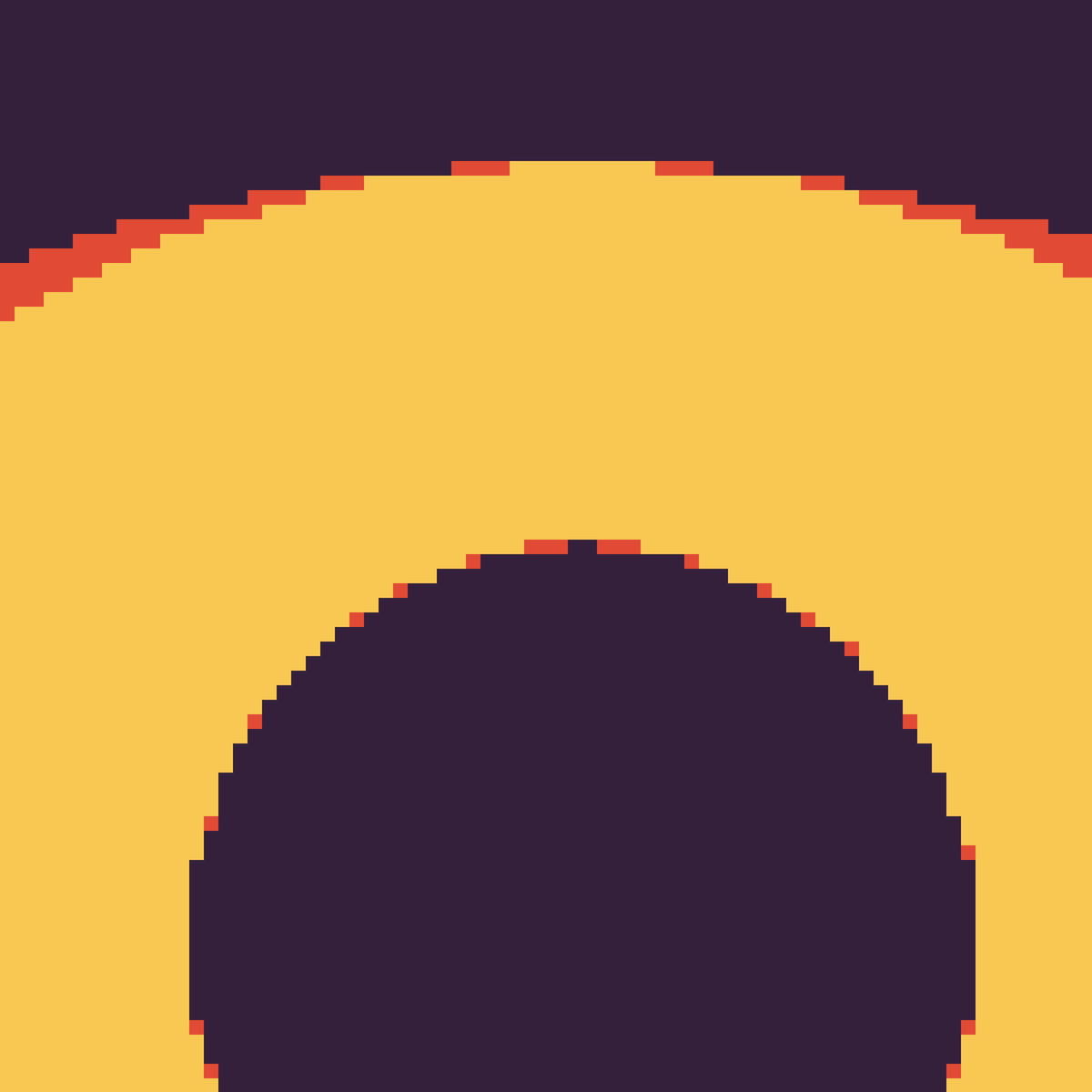 Pixels raisedeach snapped to a color
52 separate parts in all.
 VecSnap's 3MFdrawn shapes
5 parts, one for each area of a color.
The same window of each print, seen from above at 60 mm across: the picture's pixels at 0.2 mm each, inside the print's outline, each snapped to the nearest of its colors, beside VecSnap's 3MF. Both files are counted the same way.
Inside the file
What's inside my 3MF?

Objects
- This 3MF
- 3
- What it means
- One per color, each named by its color code
Units
- This 3MF
- Millimeters
- What it means
- The file says so itself, so your slicer never guesses
Size
- This 3MF
- 135.5 × 189.7 mm (5.3 × 7.5 in)
- What it means
- 96 pixels of your picture to the inch; scale it in your slicer to fit your plate
Height
- This 3MF
- 2 mm
- What it means
- Chosen when you download
Bodies
- This 3MF
- Every one closed
- What it means
- Checked before the file is written, so it slices
Printed twice
- This 3MF
- Nothing
- What it means
- No color sits on another
Your slicer
How do I print it in Bambu Studio, PrusaSlicer or Tinkercad?
Bambu Studio
- Opens
- The 3MF in its colors, and the STL
- Where you set each color
- Each object its filament, in the object list or by keys 1 to 9; matched to the AMS by color when you send the print
PrusaSlicer
- Opens
- The 3MF, its parts listed, and the STL
- Where you set each color
- Each part its extruder: double-click its color in the object list, or press its number
Tinkercad
- Opens
- The STL, under 25 MB, in the unit you choose; no 3MF
- Where you set each color
- Shapes are colored in Tinkercad; an imported model stays one part
Which file
STL or 3MF: which should I use?
Bambu Studio or PrusaSlicer, in colorSTL or 3MF
- What you get
- The 3MF, one object per color.
One filament, any slicerSTL or 3MF
- What you get
- The STL, one body.
Tinkercad, to edit firstSTL or 3MF
- What you get
- The STL, which Tinkercad imports.
Fusion, Inkscape or IllustratorDesign file
- What you get
- Each part a shape to edit or extrude yourself.
A laser or a cutting machineCut-ready SVG
- What you get
- The cut-ready SVG, each area one piece.
One credit keeps the file, every format included.
More converters
Starting from something else?


PNG to SVG converter
Color and transparency kept, every edge drawn again as a curve.
From .png


JPG to SVG converter
Compression marks cleaned before drawing, so a soft JPG still gives clean edges.
From .jpg and .jpeg


JPG to DXF converter
A logo or an emblem as a DXF for a laser or CNC, one layer per color, every outline closed.
From .jpg and .png
Logo to vector converter
The vector file a printer, a website or a designer asks for, its name kept as a word.
From any logo image


WebP to SVG converter
Lossy or lossless, read from the file; a lossy WebP handled as the compressed file it is.
From .webp


PNG to EPS converter
A logo or a badge as a vector EPS for a print shop: real shapes, no pixels inside.
From .png and .jpg


GIF to SVG converter
A sticker, a logo or an icon: its see-through color kept empty, its stepped edges redrawn as curves.
From .gif
Line art to SVG converter
Keep your ink as shapes, or take one line down each stroke.
Line art
AVIF to SVG converter
Lossy or lossless, read inside the image; a lossy AVIF handled as the compressed file it is.
From .avif

Drawing to SVG converter
A drawing on paper, photographed: the paper made one ground, the ink drawn as shapes.
From a photo


AI image to SVG converter
A ChatGPT, Gemini or Midjourney picture, drawn again as shapes in the few colors you see.
From AI tools


BMP to SVG converter
A JPG's old marks looked for in the pixels, a picture that has them handled as that JPG.
From .bmp


TIFF to SVG converter
A print or scan file in four inks, read through its profile and redrawn as clean shapes.
From .tif
Single line SVG converter
One line down the middle of each stroke, for a pen, foil or a laser.
Single lines